How to use BrieflySec
Triage cybersecurity news faster with a repeatable workflow: open a clustered story, pick the right summary lens, and train personalization with one click.
Step-by-step (with screenshots)
Each step is tied to a decision: what to read, what to ignore, and what to do next.
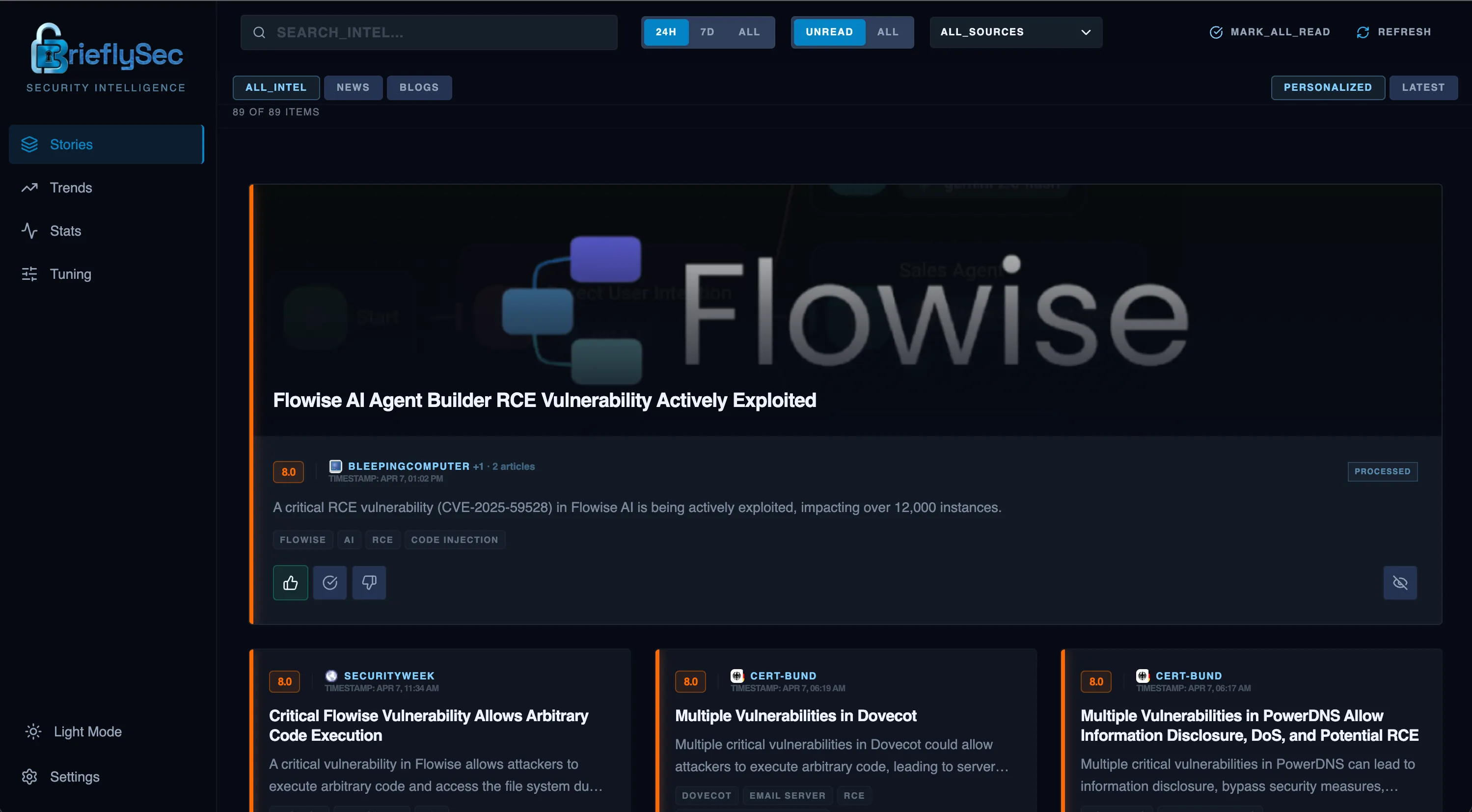
Scan impact scores and clustered stories
Open the feed and prioritize by impact. Clustering means you don’t read the same story 5 times across sources.
Use the TL;DR to decide: investigate or move on
Start with a 30-second summary: key facts, sources, and campaign context. If it’s relevant, drill deeper; if not, move on.

Pick the right summary for your role
Use Detailed for depth, Red Team for exploitation perspective, Blue Team for defensive actions, Architect for infrastructure implications, and Executive for leadership briefing.

Upvote signal, downvote noise
Your votes teach BrieflySec what matters to you. Over time, similar stories rank higher and irrelevant topics fade out automatically.

Boost or suppress tags and calibrate to your environment
Manually boost important topics and suppress distractions. Add your vendors and tools so threats targeting your stack rise to the top.

Frequently asked questions
Quick answers before you try the workflow.
Do I have to configure anything to get value from BrieflySec?
No. You can start reading immediately. As you upvote and downvote stories, BrieflySec learns what you care about and improves ranking automatically.
How does BrieflySec reduce duplicate headlines across sources?
BrieflySec clusters related coverage of the same CVE or campaign into one story card with source attribution, so you read once and still see all sources.
What are role-based summaries?
Each story includes multiple AI views (TL;DR, Detailed, Red Team, Blue Team, Architect, Executive) so different roles can get the right takeaways quickly.
Ready to replace noise with signal?
Create an account and start training your feed in minutes.
Start free